
Short answer: a useful job card follows the part’s process route. Each step names the operation, the machine and the operator, with dates, times and cost, and outsourced steps sit in the same card. Then the card tells you exactly where a job is and what it took to make.
What goes wrong with paper job cards
Paper job cards move around the shop with the material. They get lost, they are filled in late, and the office only finds out a job is stuck when a customer calls. They also rarely record which machine was used or how long each step took, so the real cost of a part stays a guess.
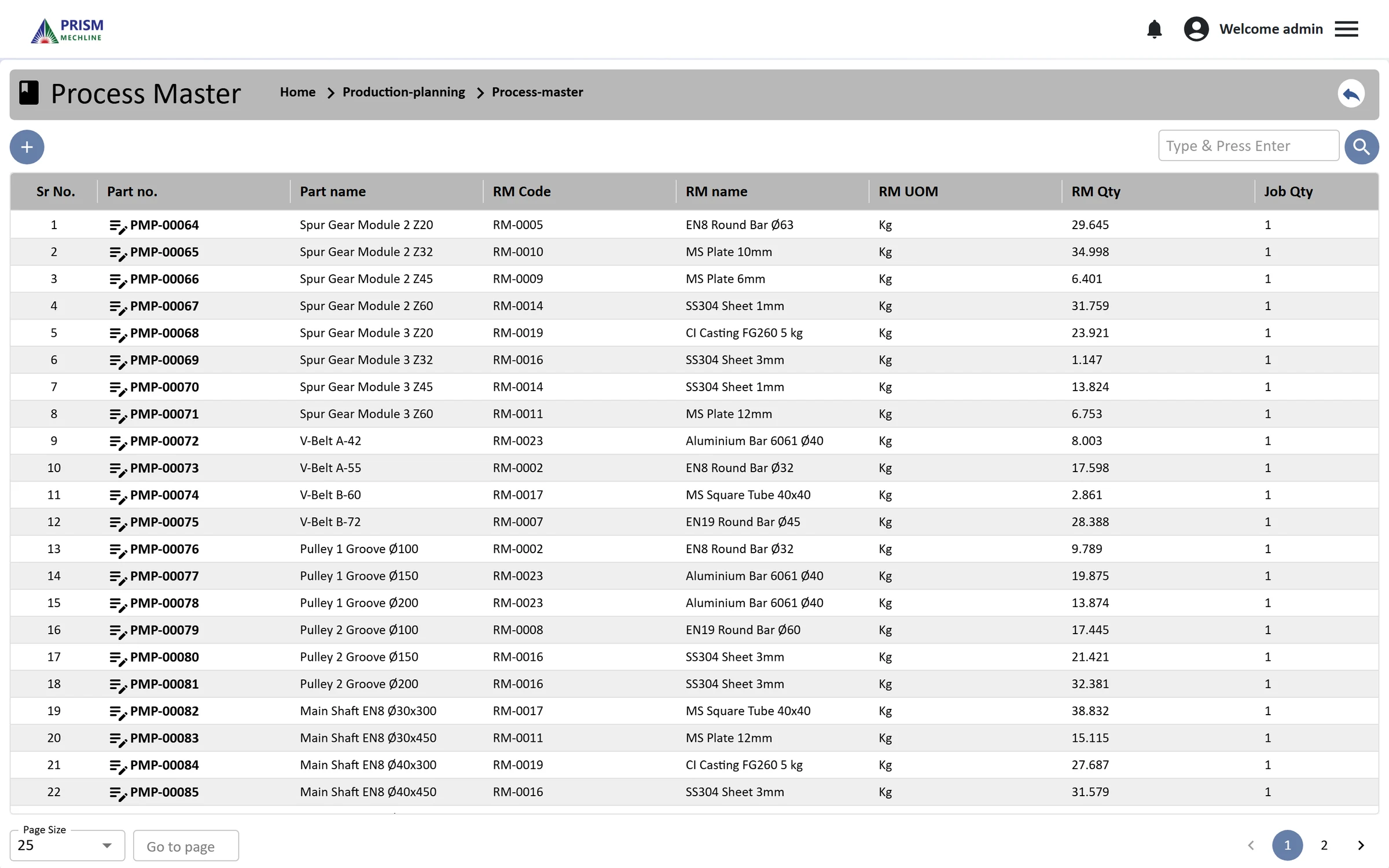
Start with the process route
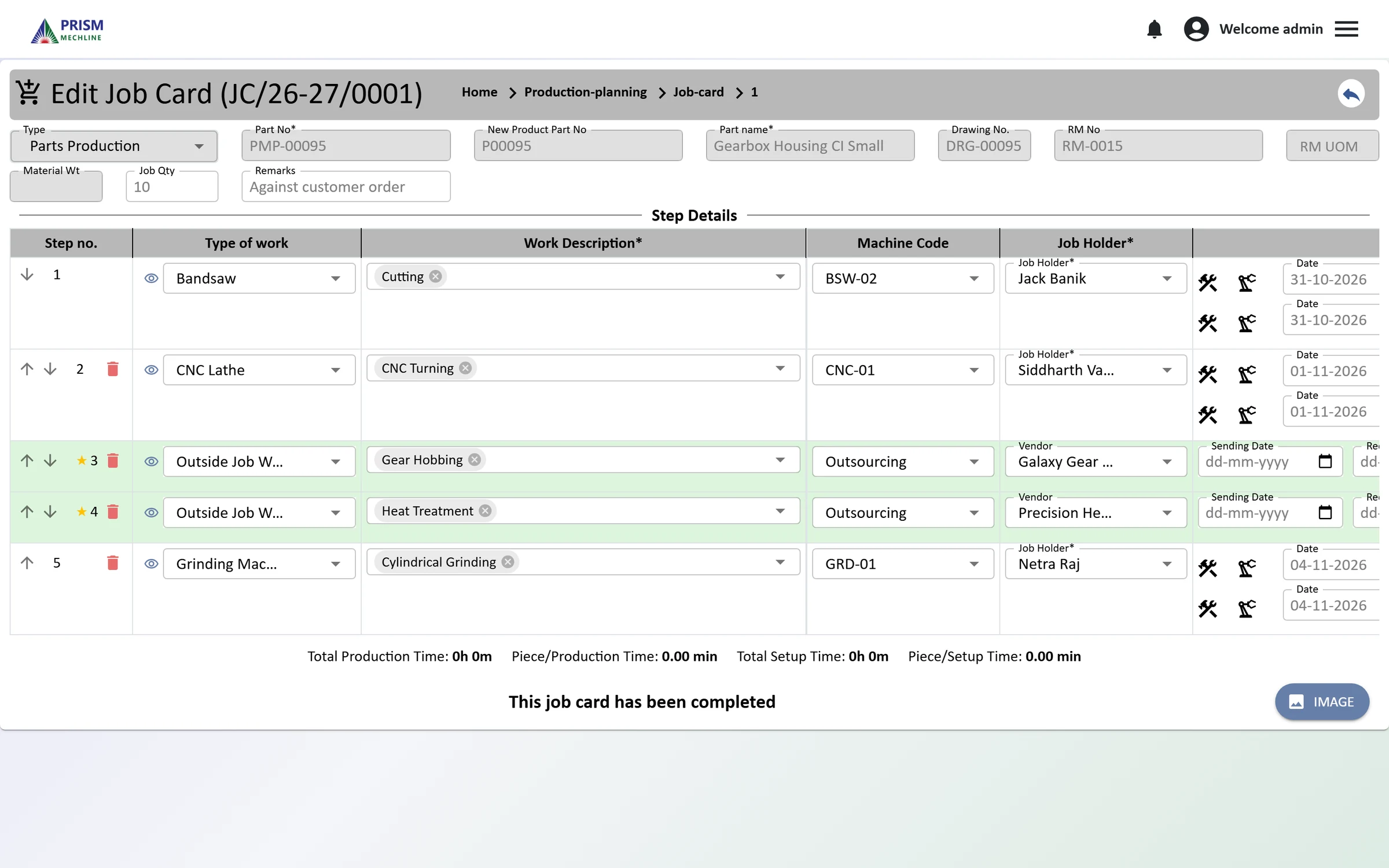
Before the job card comes the process route: how each part is made. For every part, define the raw material and quantity, and the sequence of operations on specific machine types. A shaft, for example, might go:
- Bandsaw: cutting
- CNC lathe: CNC turning
- Outside job work: gear hobbing
- Outside job work: heat treatment
- Grinding machine: cylindrical grinding
What each step on the job card should record
- The operation and the machine it runs on.
- The operator (job holder), or the vendor for outsourced steps.
- Start and finish dates and times.
- The cost of the step.
- Whether QC is needed.
How Prism Mechline handles job cards
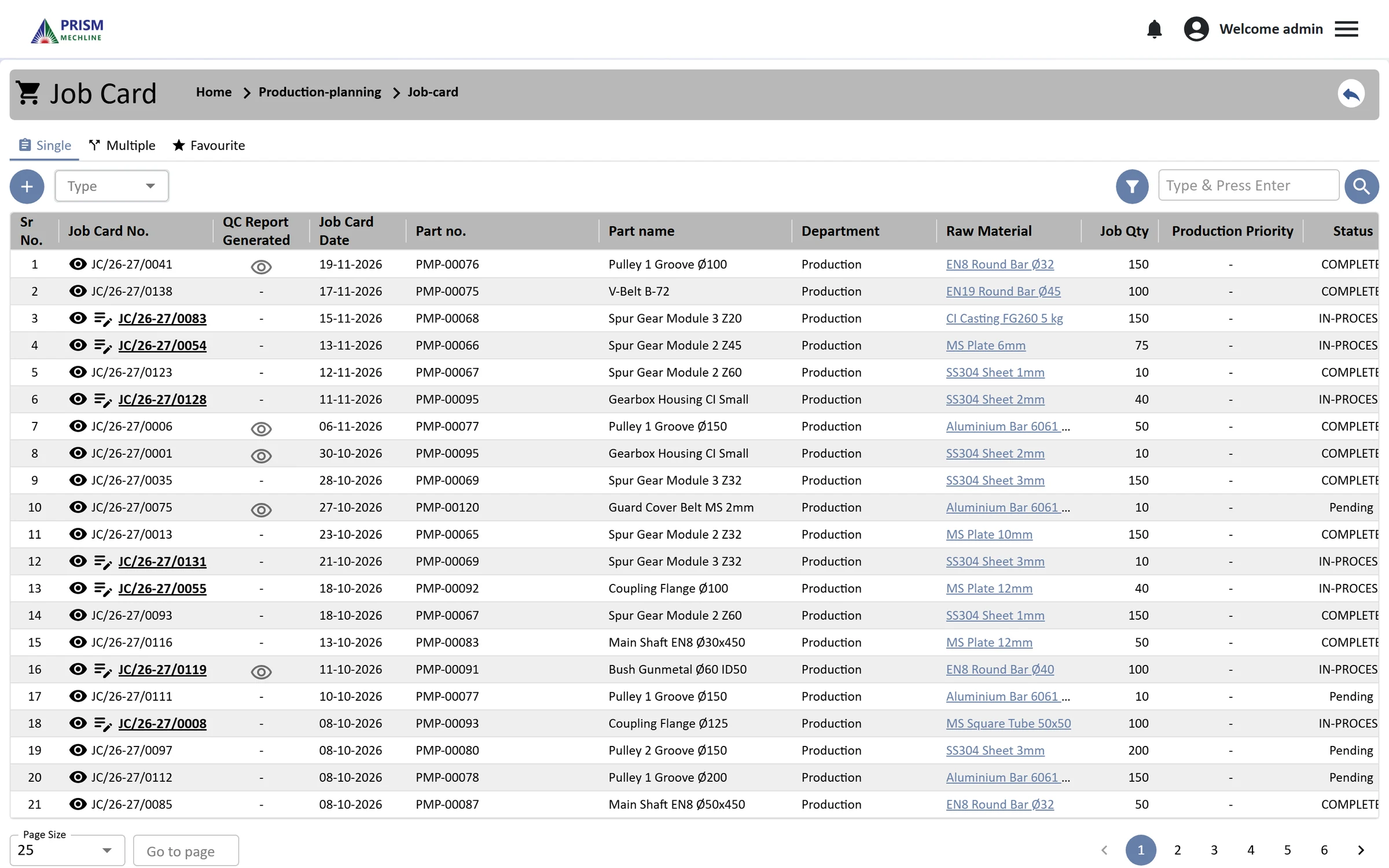
In Prism Mechline, process routes are defined per part, step by step, on specific machine types. Job cards follow that route and record each step’s operator, machine, dates, times and cost, with in-house QC flags. The job card list shows every job’s part, raw material, quantity, QC report and status: Pending, In-process or Complete.
Frequently asked questions
What is a job card in manufacturing?
A job card is the work order for making a quantity of one part. It lists the operations to perform and records who did each one, on which machine and when.
What is the difference between a process route and a job card?
The process route is the standard recipe for making a part. A job card is one actual run of that route for a specific quantity.
Can outsourced operations be on the same job card?
Yes. In Prism Mechline, steps such as gear hobbing or heat treatment appear on the job card with the vendor, and are sent out on job-work challans.